

Installation on Windows
The CAU-Cloud uses the software Nextcloud. You can download the most recent version of the desktop sync client on the maintainers homepage.

On the download page you will find different desktop sync clients for Windows, MacOS as well as Linux. Please choose Windows.
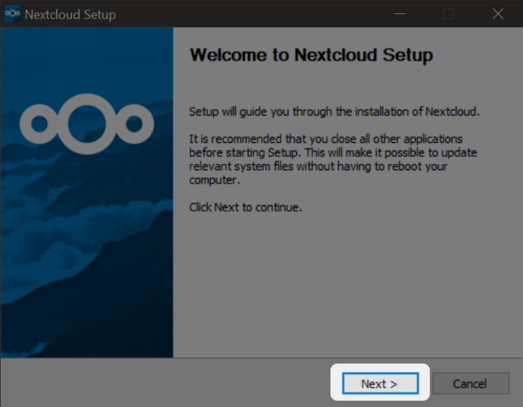
At the start of the installation process you will see a welcome dialog. Press "Next" to get to the next screen.
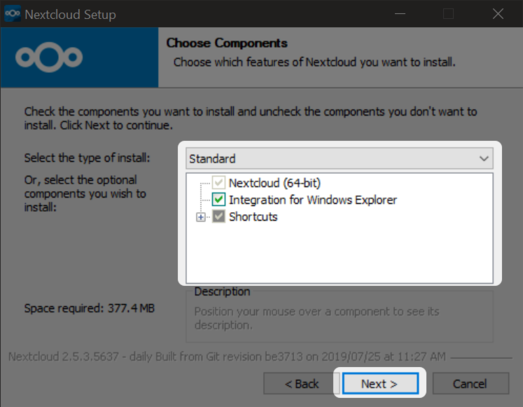
Please choose the installation options. Experienced users may choose different options than the default ones. Please click "Next" to proceed.
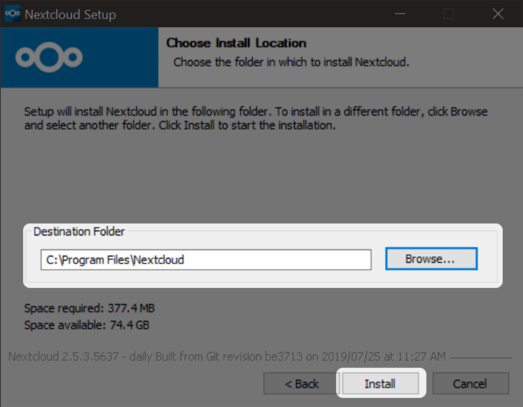
Now you can choose the installation destination. For most users the default should be fine, but eel free to change if needed. Press "Install" to begin the installation process.
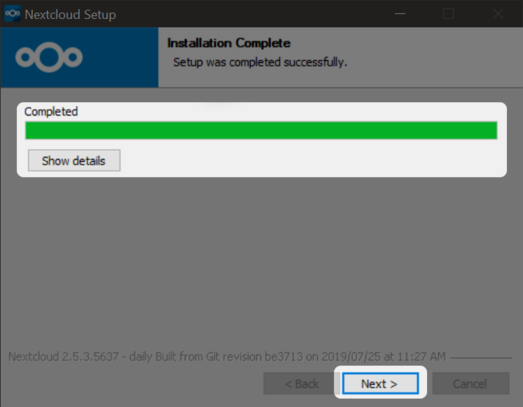
During the installation you can see a progress bar on the top. After a couple of seconds you can go on with the button "Next".
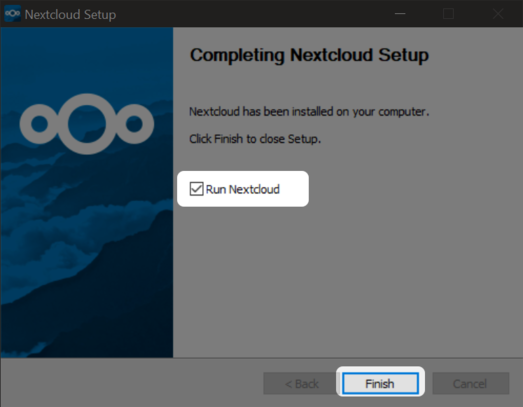
The installation is finished now and you can choose to start the desktop sync client immediately. You can find additional information on the setup and usage of the desktop sync client in this tutorial.

If you chose to start the desktop sync client, you can open it via the task bar item. Otherwise you can start the application "Nextcloud" to start the desktop sync client.